Table of Contents
Free Printable Labor Invoice Templates (USA) – A free printable labor invoice helps you bill clients for time, work, and related charges without buying software. If you do jobs in the United States—handyman work, landscaping, painting, cleaning, auto repair, construction labor, or similar trades—a clear invoice is often what gets you paid on time and keeps your records clean.
This page explains what a labor invoice should include, how to fill one out, and where to download legitimate free templates you can print or save as PDF.
What Is a Labor Invoice?
A labor invoice is a bill for work performed. It lists who did the job, who is being billed, what was done, how time was charged, and how much is due.
It is different from a product-only invoice. A labor invoice usually focuses on hours, rates, or a flat job price. Many U.S. trades also use a parts-and-labor invoice when materials and time both appear on the same bill.
There is no single federal “official labor invoice form.” Invoices are business records. Clients, bookkeepers, and tax records still expect the basics: names, dates, a unique invoice number, itemized charges, and a total due.
Who Needs a Free Printable Labor Invoice?
A printable labor invoice template is useful if you:
- Bill by the hour (for example, $45/hour for 6.5 hours)
- Charge a flat fee for a job (for example, “deck staining — $850”)
- Need to separate labor from materials or parts
- Work on-site and want a paper copy the customer can sign
- Do occasional side work and do not want paid invoicing software yet
Typical users include independent contractors, sole proprietors, handymen, cleaners, landscapers, painters, movers, mechanics, and small construction crews.
Wage data can help you set a realistic rate. The U.S. Bureau of Labor Statistics reports that construction laborers had a 2025 median pay of $22.44 per hour, or $46,680 per year. Skilled trades usually charge more than that median wage once overhead, travel, insurance, and profit are included. Check current figures on the BLS Construction Laborers and Helpers page.
What to Include on a U.S. Labor Invoice?
Use these fields on every invoice:
- The word Invoice at the top
- Your legal name or business name, address, phone, and email
- Client name and billing address
- Unique invoice number (INV-001, INV-002, and so on)
- Invoice date and payment due date
- Job or project address, if it is different from the billing address
- Dates the work was performed
- Itemized labor: description, hours or quantity, rate, line total
- Materials or parts, listed separately when you bill for them
- Subtotal, sales tax (if applicable), and total due
- Payment methods (check, ACH, card, Venmo/Zelle for business, etc.)
- Payment terms (Due on receipt, Net 15, Net 30)
- Optional: late-fee language, deposit already paid, and a signature line
Keep labor and parts on separate lines. In several states, labor and goods are taxed differently. If you lump everything into one price, a client—or a state tax reviewer—may treat the whole amount as a taxable sale of goods.
Where to Get a Free Printable Labor Invoice?
These sites offer templates you can download, edit, and print. Confirm the file type and preview the form before you send it to a client.
1. eForms service/labor invoice (PDF and Word)
eForms publishes a free service/labor invoice with bill-from and bill-to blocks, invoice number and dates, itemized services and materials, tax, terms, and payment details. The page was updated in 2026 and is a solid starting point for cleaners, landscapers, painters, and similar service jobs. Download it from the eForms Service/Labor Invoice Template page.
2. Invoice Maker general labor invoice (PDF, Word, and Excel)
Invoice Maker’s general labor template is aimed at construction and other physical labor billing. The publisher states it is free, with no signup or credit card required, and offers printable PDF plus editable Word and Excel files. Get it from the Invoice Maker General Labor Invoice Template page.
3. Invoice Maker parts-and-labor invoice (PDF, Word, and Excel)
If you bill time and materials on the same job—oil changes, HVAC service, plumbing, auto repair, or remodel work—use a template with separate labor and parts tables. Invoice Maker’s parts-and-labor version includes hours, hourly rate, part descriptions, quantities, and combined totals. Download it from the Invoice Maker Parts and Labor Invoice Template page.
Print the PDF if you only need a paper form. Use Word or Excel if you want to add your logo, save a reusable master file, or let the spreadsheet calculate totals.
Avoid sites that hide the file behind a paid “unlock,” add a large watermark across the page, or require a credit card for a “free” download.
Free Printable Labor Invoice Templates (USA)
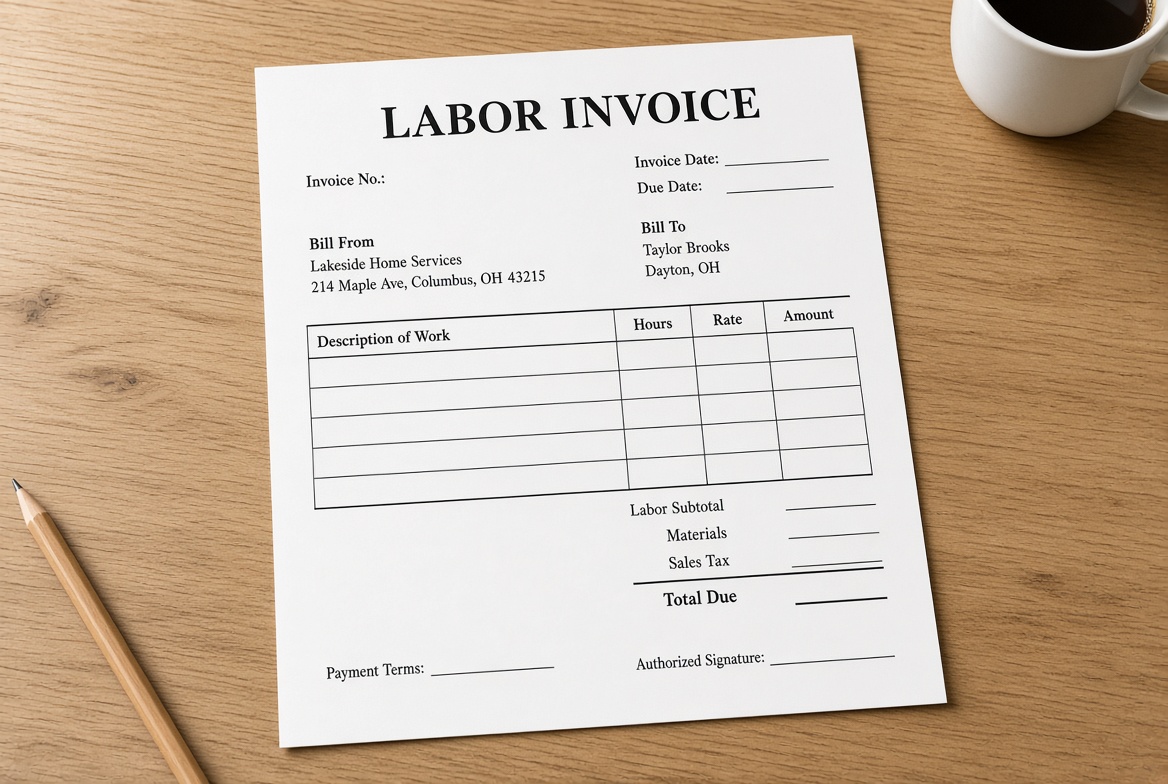
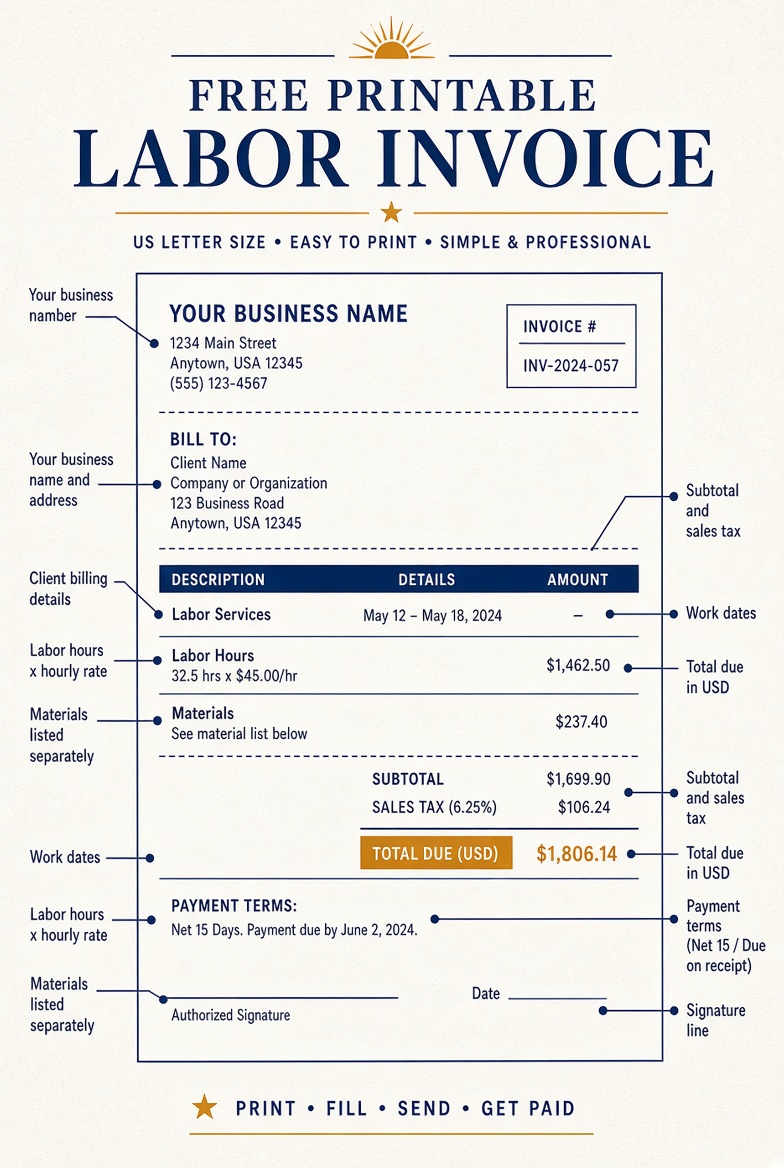
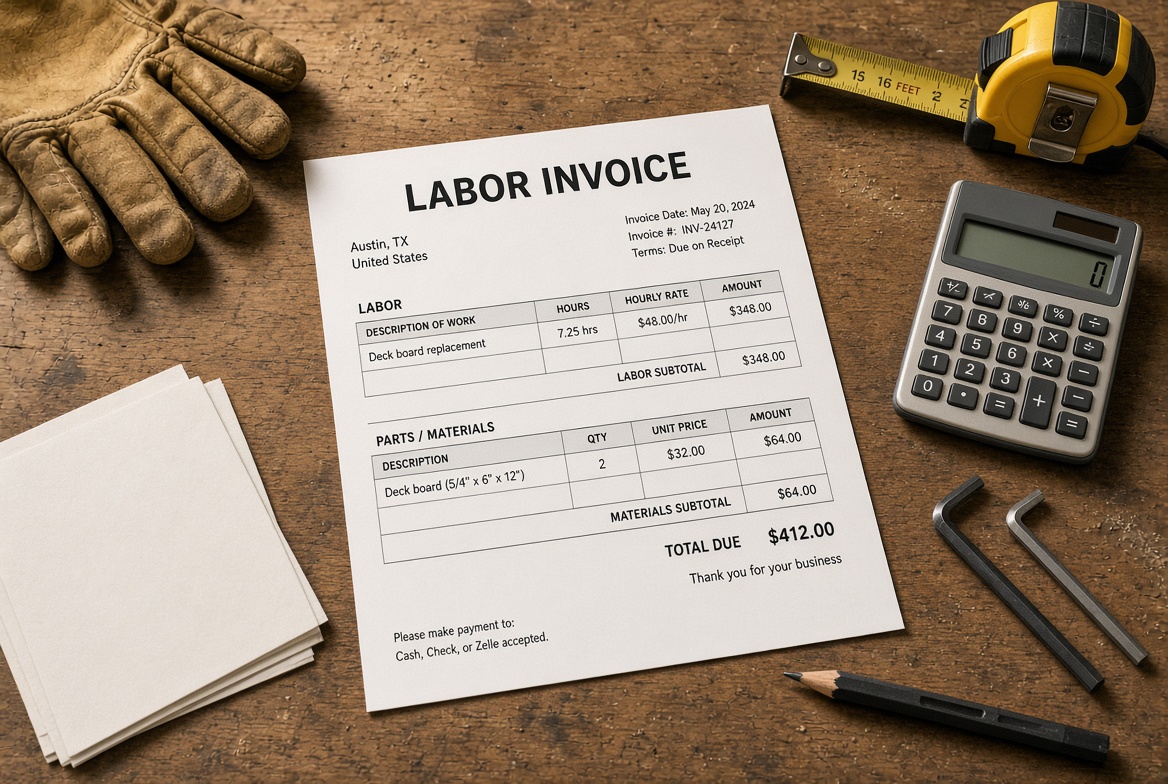
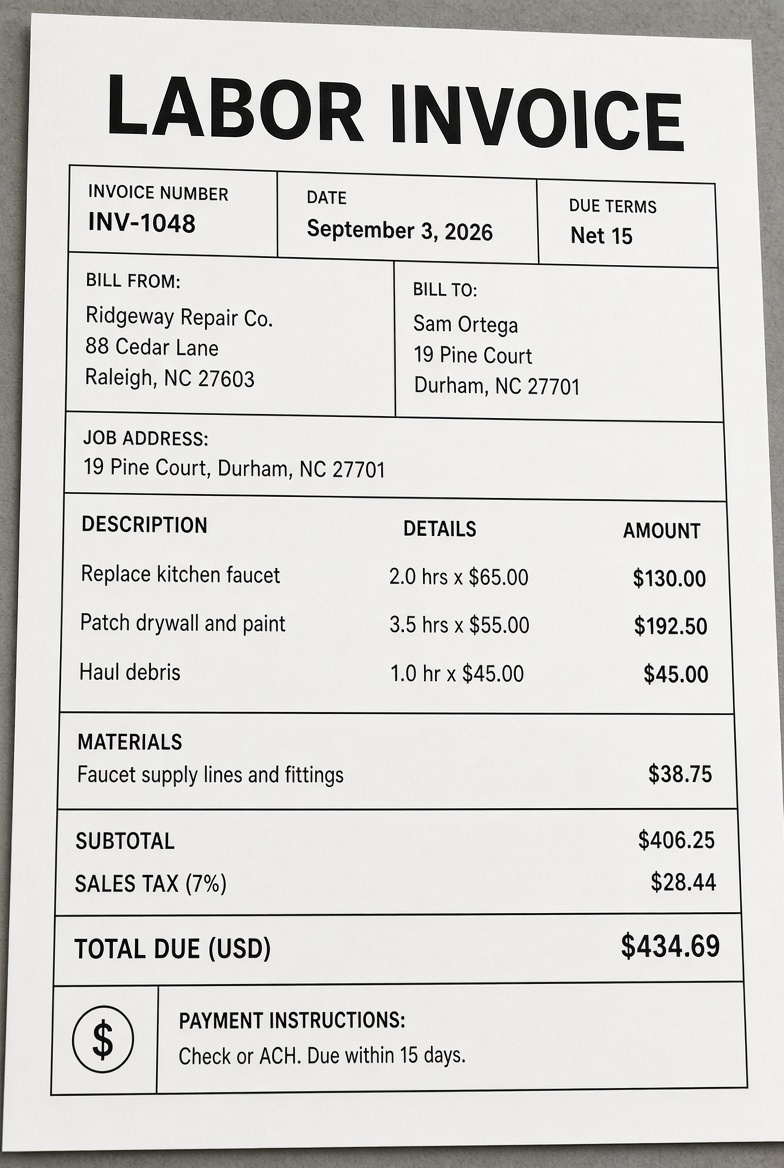
How to Fill Out a Labor Invoice?
- Save a blank master copy. Never overwrite your only template.
- Add your business details and logo if the file allows it.
- Assign the next invoice number. Do not reuse numbers.
- Enter the client’s legal name as it should appear on their records.
- Describe the work in plain language. “Labor” is too vague. “Remove and haul old fence, 8 hours @ $40/hr” is clear.
- Show hours to one decimal if needed (0.5 hour, 2.25 hours).
- List materials on their own lines, with quantity and unit cost.
- Subtract any deposit already collected.
- Add sales tax only if your state and the type of work require it.
- State when payment is due and how to pay.
- Save a PDF, print a copy, and keep both.
Send the invoice as soon as the job is finished, or on the schedule in your contract. Delayed invoices are a common reason U.S. small businesses wait weeks for payment.
Sales Tax, Contracts, and Labor Charges
Sales tax on labor is a state issue, not a single national rule. Some states tax repair labor. Others tax materials but not services. Some tax the full invoice if labor is not broken out.
Itemize labor even when you think no tax applies. That one habit makes the invoice easier to audit, easier for the client’s accounts payable team to approve, and safer if a state later reviews the sale.
If you work under a written estimate or contract, match the invoice to that document. Use the same job name, scope, and rate. Note change orders on their own lines.
This page is general information, not tax, legal, or accounting advice. Check your state department of revenue or a CPA when tax treatment is unclear.
Keep Invoices for Taxes and 1099 Records
A printed labor invoice is also a bookkeeping document. Keep copies of invoices you send and invoices you pay.
If you hire other independent workers, you may have to file Form 1099-NEC. The IRS states that for payments made before 2026 the reporting threshold is $600, and for payments made in 2026 the reporting threshold is $2,000. Review the current rules on the IRS page Am I required to file a Form 1099 or other information return?.
Collect a Form W-9 before work starts if you will need a contractor’s taxpayer identification number. Do not put your Social Security number on every invoice you send. Share a tax ID only when a client needs it for their information returns.
Practical Tips That Help You Get Paid
- Number invoices in order and store PDFs by year and client.
- Put payment terms on the invoice and in the estimate.
- Offer one easy payment method your clients already use.
- Follow up in writing after the due date. Attach the same PDF again.
- For larger jobs, invoice a deposit up front and the balance on completion.
- If a customer pays in cash, still issue an invoice and mark it paid.
A free printable labor invoice will not replace a contract, license, or insurance. It does give you a professional paper trail.
FAQ
Is a labor invoice the same as a timesheet?
No. A timesheet tracks hours. A labor invoice asks for payment and shows the amount due.
Can I write a labor invoice by hand?
Yes. A neat handwritten form is valid if it includes the same key details. A printed template is easier to read and copy.
Do I need an EIN on the invoice?
Not always. Your business name and contact information are enough for most clients. Provide an EIN or SSN when a business client needs it for tax reporting.
Should overtime appear as its own line?
Yes, if you charge a different rate. List regular hours and overtime hours separately so the math is obvious.
What format should I send?
PDF is the usual choice for email. Keep the Word or Excel file as your working copy. Print the PDF when you need a signed paper invoice on site.
How long should I keep copies?
Keep invoices at least as long as you keep other tax records. Many small businesses keep them at least three years, and longer if a job could lead to a dispute or warranty claim.
A good free printable labor invoice is simple: clear work, clear rates, clear total, and a copy you can find later. Download one template, customize it once, and reuse it for every job.